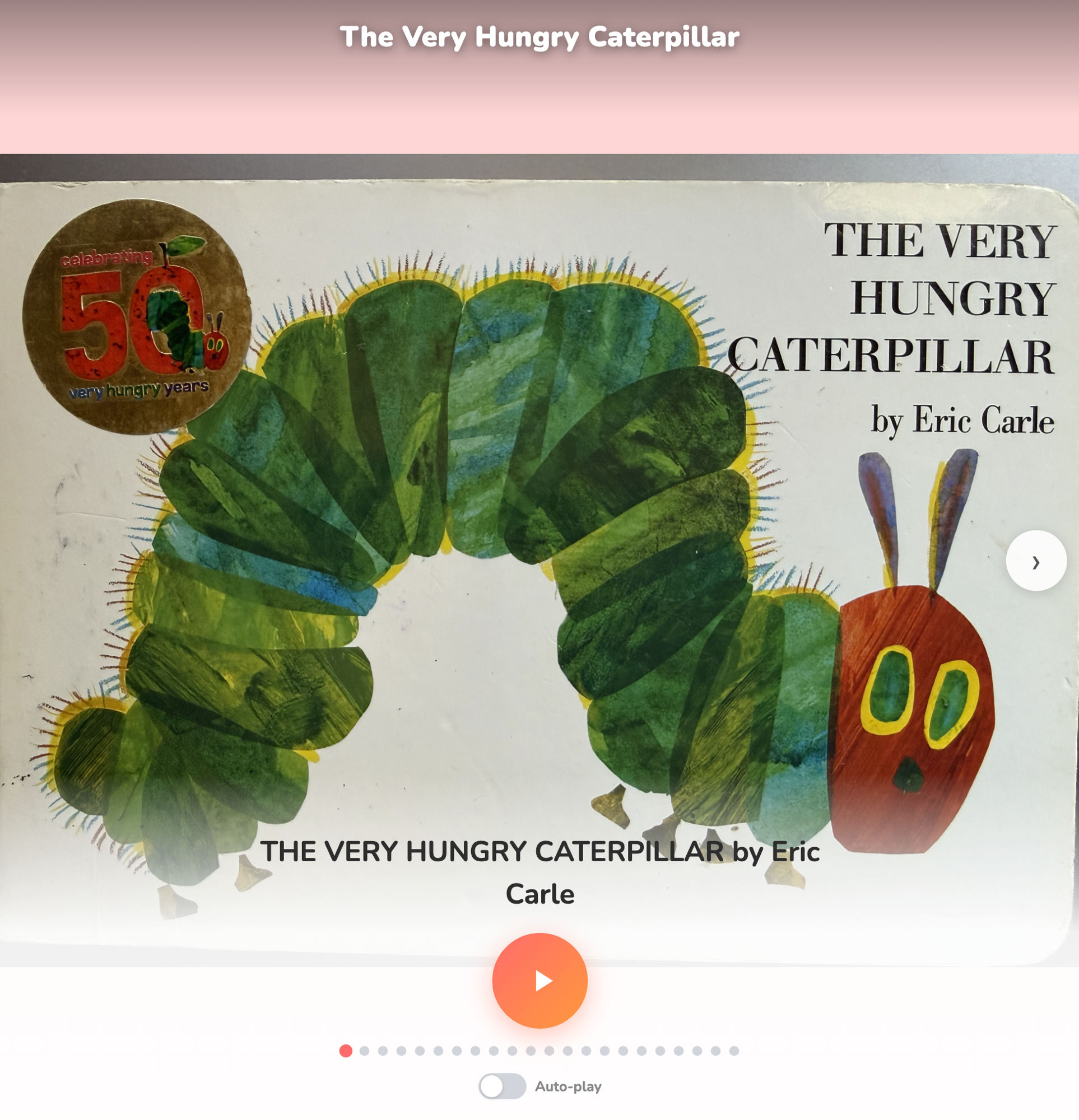
Your voice. Your kid’s favorite book. Even when you’re not there.
The Problem
Parents read the same picture books to their kids every night — the same stories, in the same voice, over and over. That voice becomes part of the memory. But parents travel, work late, or simply can’t always be there. Existing audiobook apps use professional narrators. Text-to-speech sounds robotic. Neither is the voice your child actually knows and loves.
The Solution: Storytime
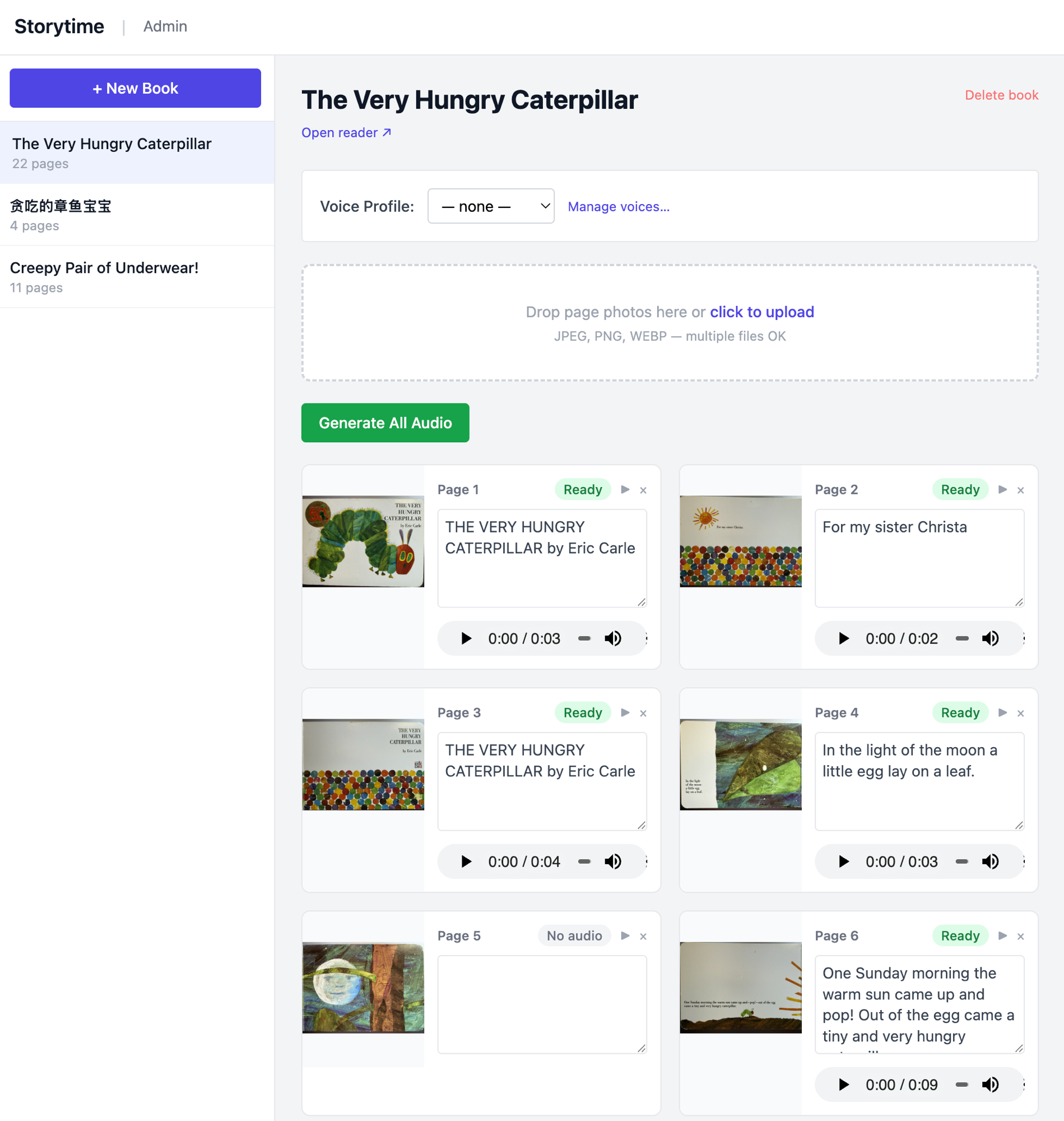
Storytime lets any parent digitize a physical picture book and generate audio in their own cloned voice in under 10 minutes. Photograph the pages, upload them, record 5–10 seconds of yourself reading aloud, and hit Generate. The app clones your voice locally and produces audio for every page. Hand the tablet to your child — they tap play and hear the whole book in your voice, page by page, with auto-play carrying them through to the end.
How It Works
- Photograph the pages — take a photo of each page with your phone and upload them to the parent portal. Apple Vision OCR extracts the text automatically.
- Record 5–10 seconds of your voice — read any sentence aloud and save the clip. No special equipment needed.
- Hit Generate — Storytime clones your voice using on-device AI and produces audio for every page. Processing takes a few minutes on Apple Silicon.
- Hand it to your kid — they tap ▶ and the book reads itself in your voice, page by page. Enable Auto-play and it runs through the whole book without any taps.
Features
- Full-bleed picture display with swipe-to-turn and tap-to-play — designed for kids aged 3–8 who can’t read yet
- Voice cloning from a 5–10 second reference clip — no studio recording required
- Auto-play mode: audio ends → 600ms pause → next page plays automatically
- OCR supports English, Simplified Chinese, Traditional Chinese, and more
- Works on any device on your home network — bookmark it on a tablet
- No accounts, no subscriptions, no data leaving your home
How It’s Built
Backend: FastAPI + Uvicorn serving a REST API. No database — books are JSON files, media is stored on disk. Audio generation streams progress page-by-page via NDJSON so the UI updates live as each page completes.
OCR: Apple Vision Framework (VNRecognizeTextRequest) runs entirely on-device with no API key. For Chinese books, a post-processing pass strips the inter-line spaces that OCR introduces between CJK characters — otherwise they cause unnatural pauses during playback.
Voice cloning: mlx-audio runs Qwen3-TTS on Apple Silicon via MLX. The model (~4 GB, downloaded once) generates natural-sounding speech from a short reference clip and its transcript. All inference happens locally — no audio is sent anywhere.
Reader UI: Vanilla JS, no framework. CSS translateX slide transitions, touch swipe detection, and a pulsing play button built in pure CSS. The parent portal is a utilitarian admin view; the kids reader uses Nunito, pastel backgrounds, and large tap targets designed for small hands.
The Hardest Part
Voice cloning quality depends entirely on the reference clip. Too short and the model loses prosody. Too noisy and it picks up the room. The sweet spot — 5–10 seconds of clean speech with an exact transcript — took trial and error to establish. Getting Chinese OCR to produce clean, pauseless text also required custom post-processing: Apple Vision inserts line breaks between OCR observations, and those translate directly to unnatural audio gaps without stripping.
Storytime is open source on GitHub. If you have kids and a Mac, you can set up your first book in under 10 minutes.